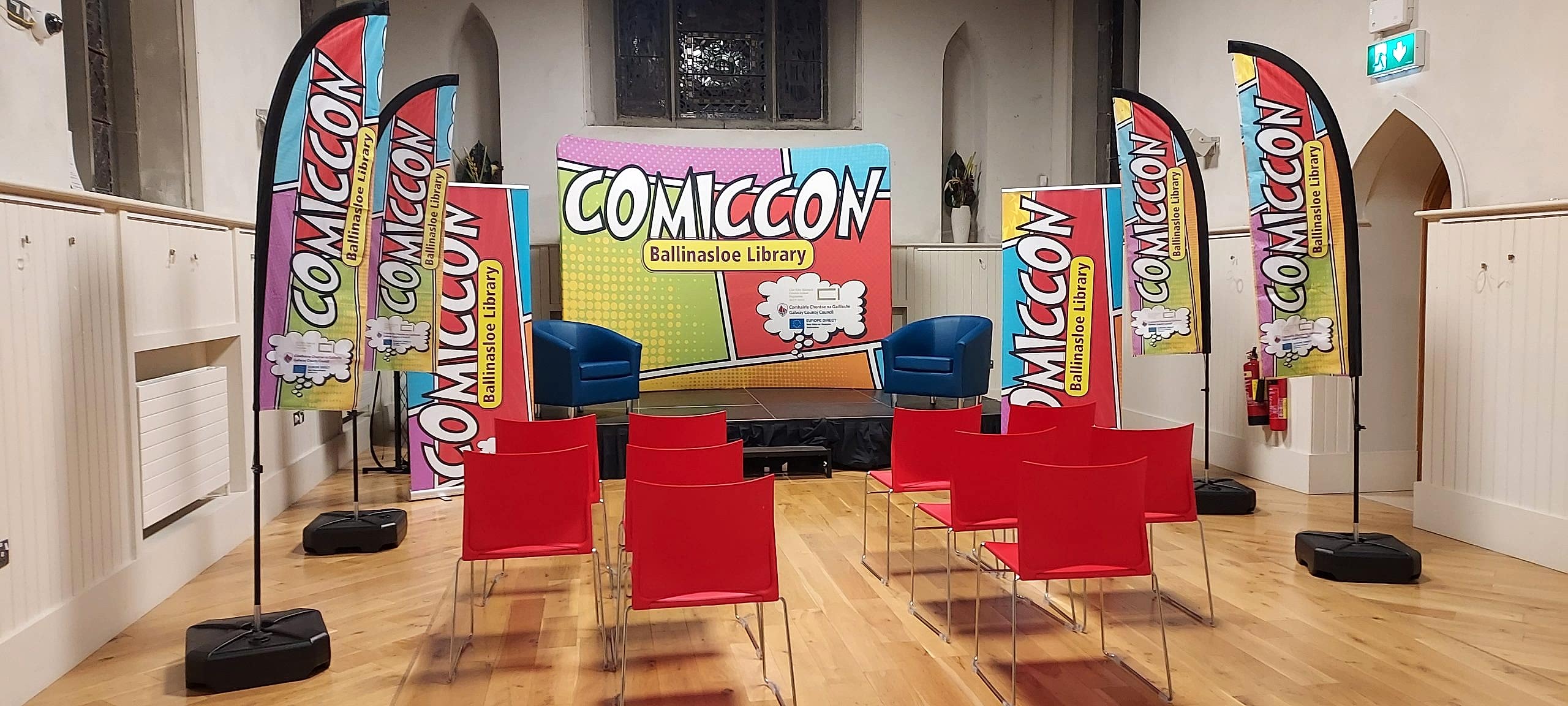
Pull-Up Banners
A lightweight, portable banner that sets up in seconds — ideal for trade shows, conferences, and retail spaces. Great for showcasing your brand or latest offer.
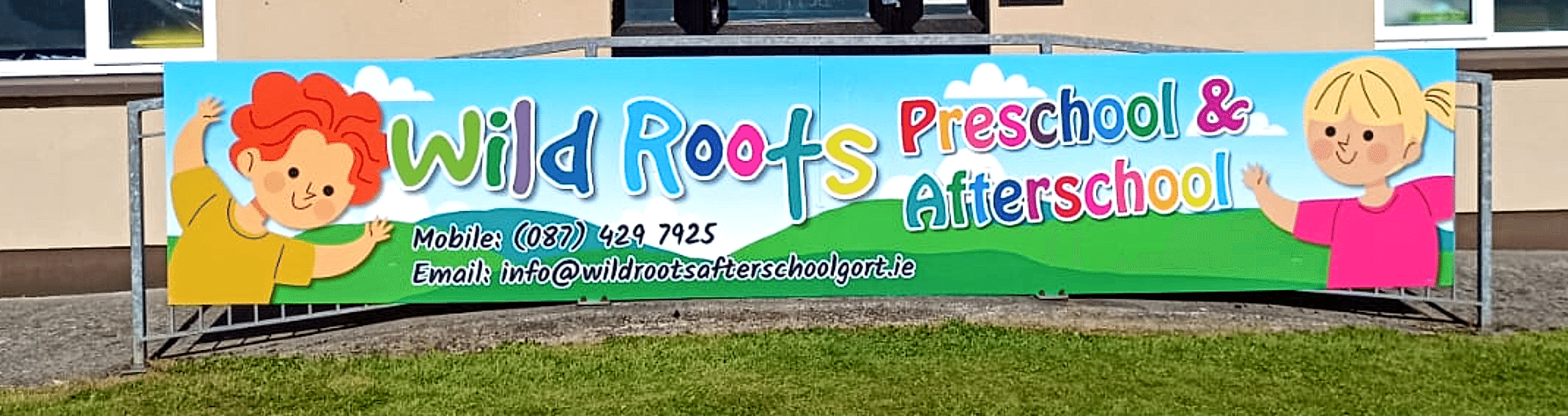
Outdoor Signage (Weatherproof)
Durable signage designed to withstand the elements — perfect for festivals, outdoor markets, or promotional events.
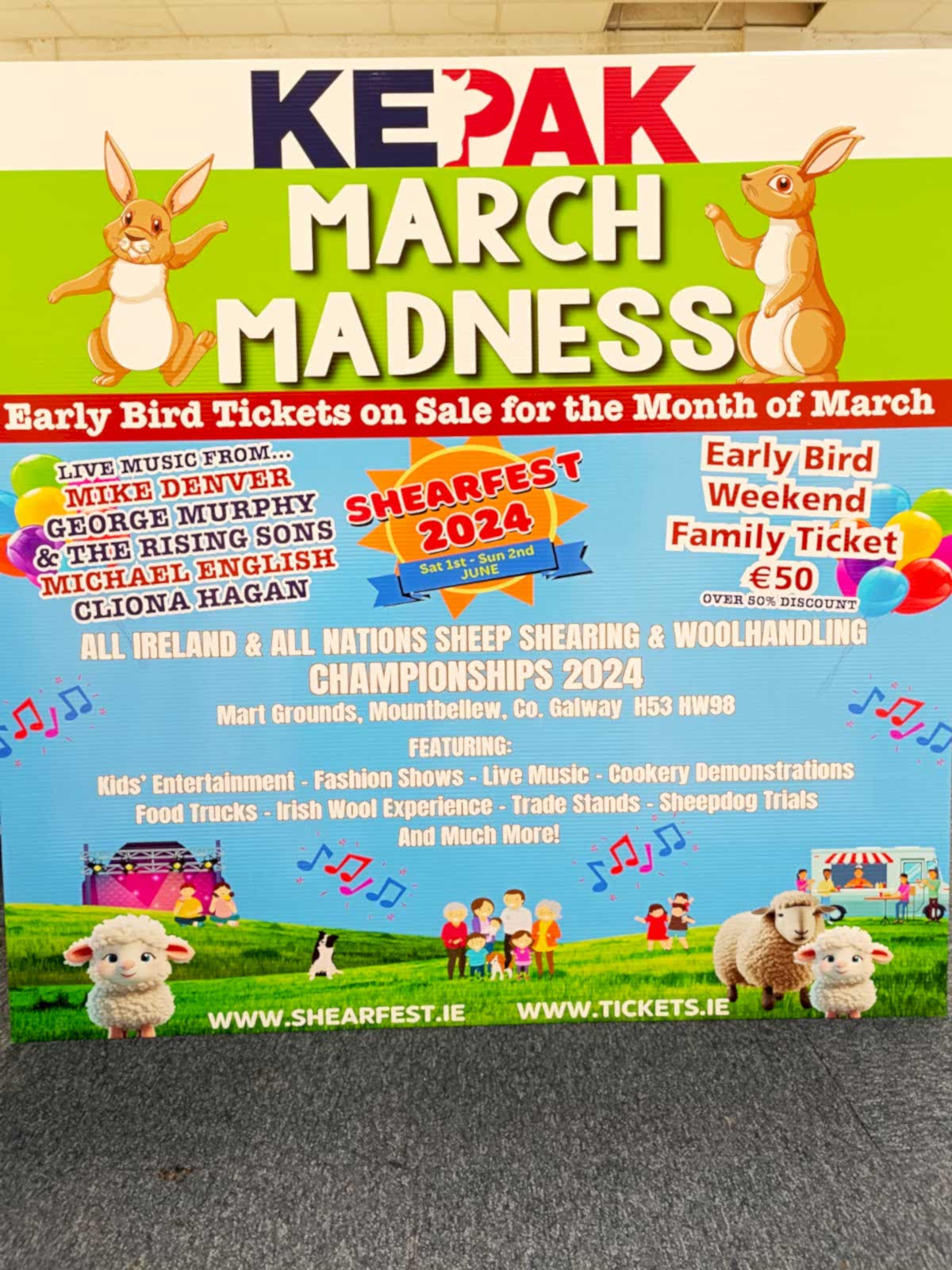
PVC Banners & Festival Signage
Vibrant, high-impact PVC banners in any size — ideal for large outdoor displays, stages, or event fencing.

Exhibition Stands & Backdrops
Custom-designed backdrops and modular stands to elevate your brand presence at expos or trade fairs.
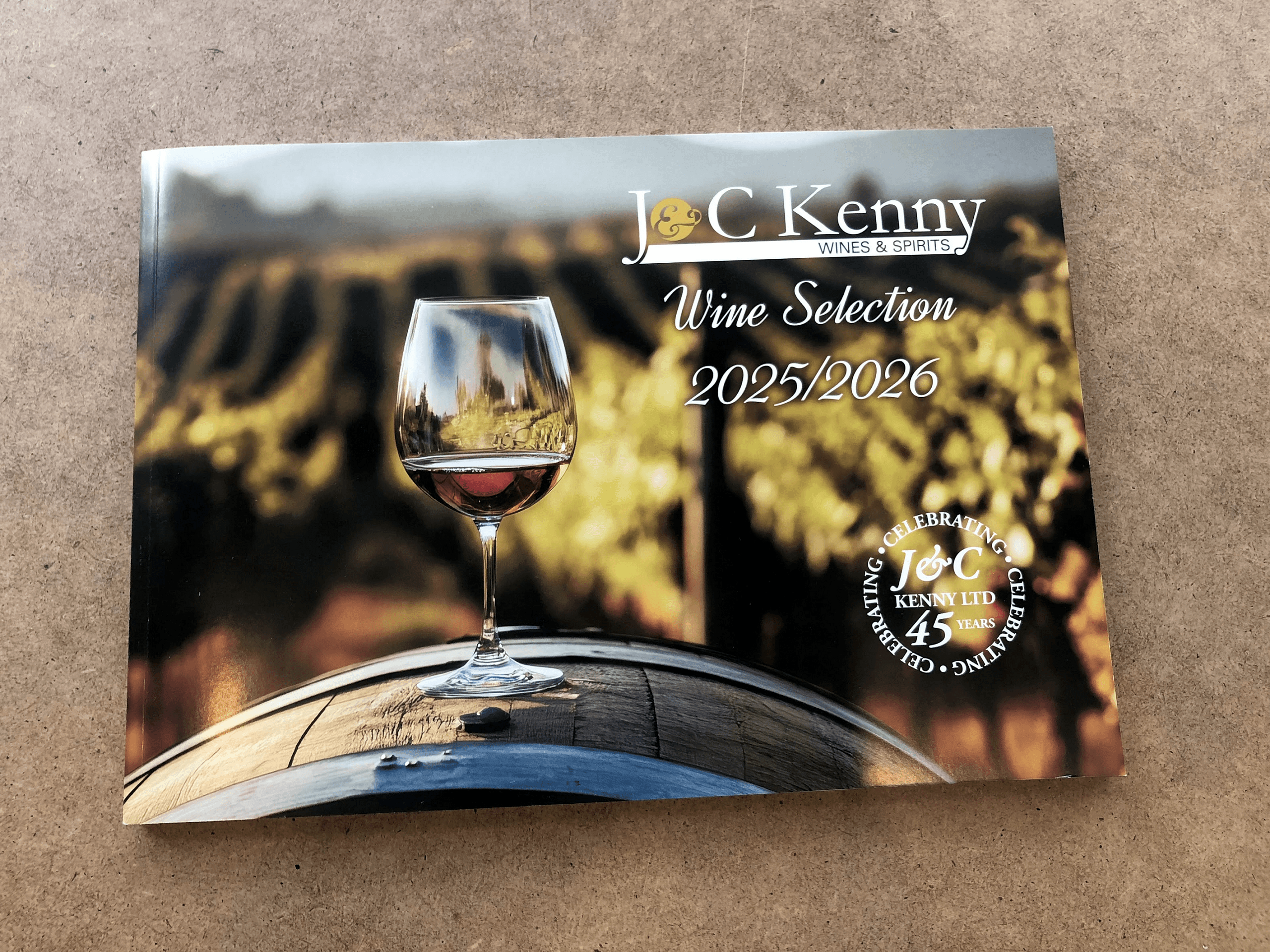
Catalogues & Spec Sheets
Detailed product catalogues and spec sheets to support conversations and inform buying decisions on the spot.
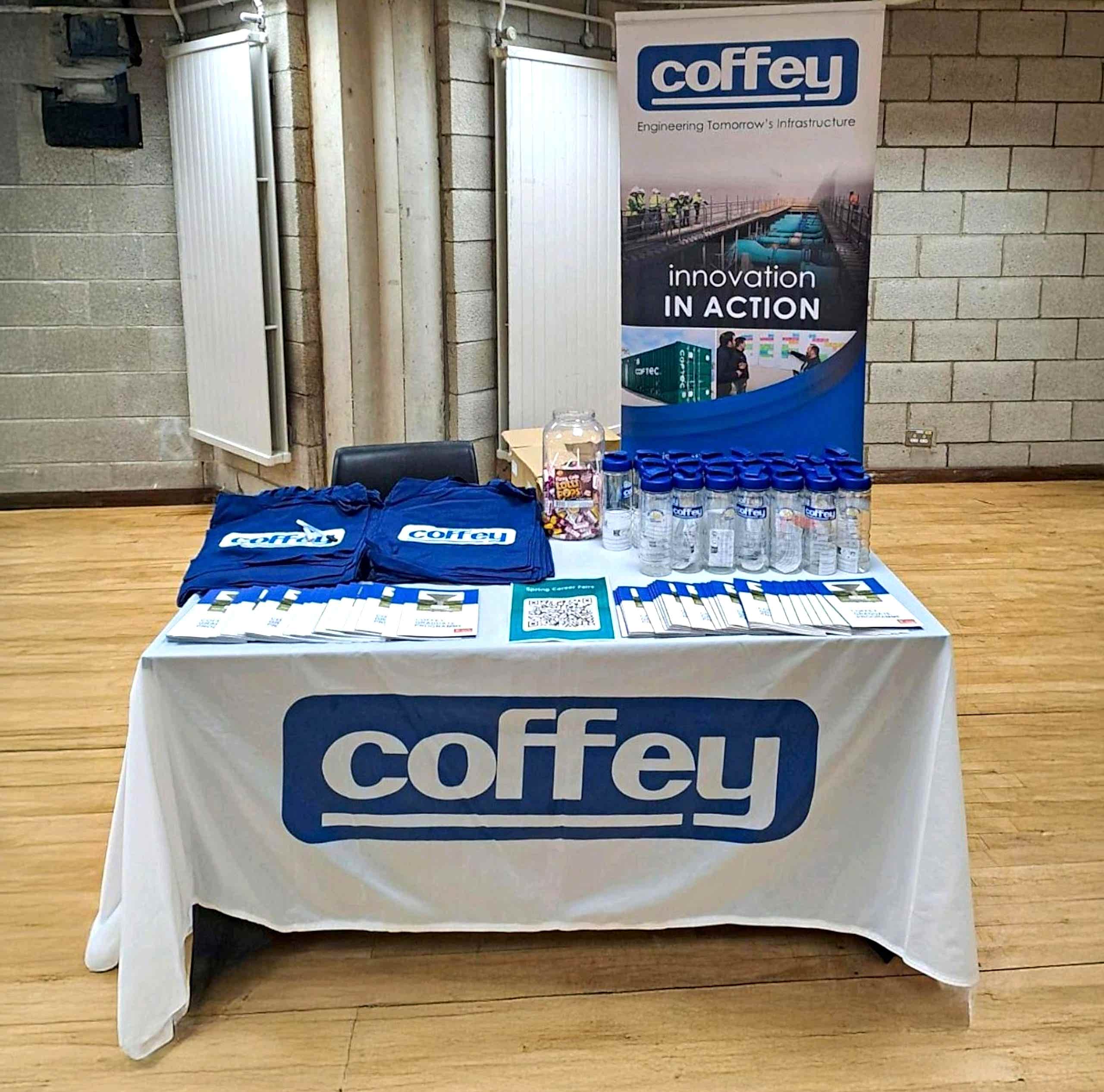
Table Throws & Branded Tablecloths
Professional, branded table covers to give your display a polished look and reinforce brand identity.
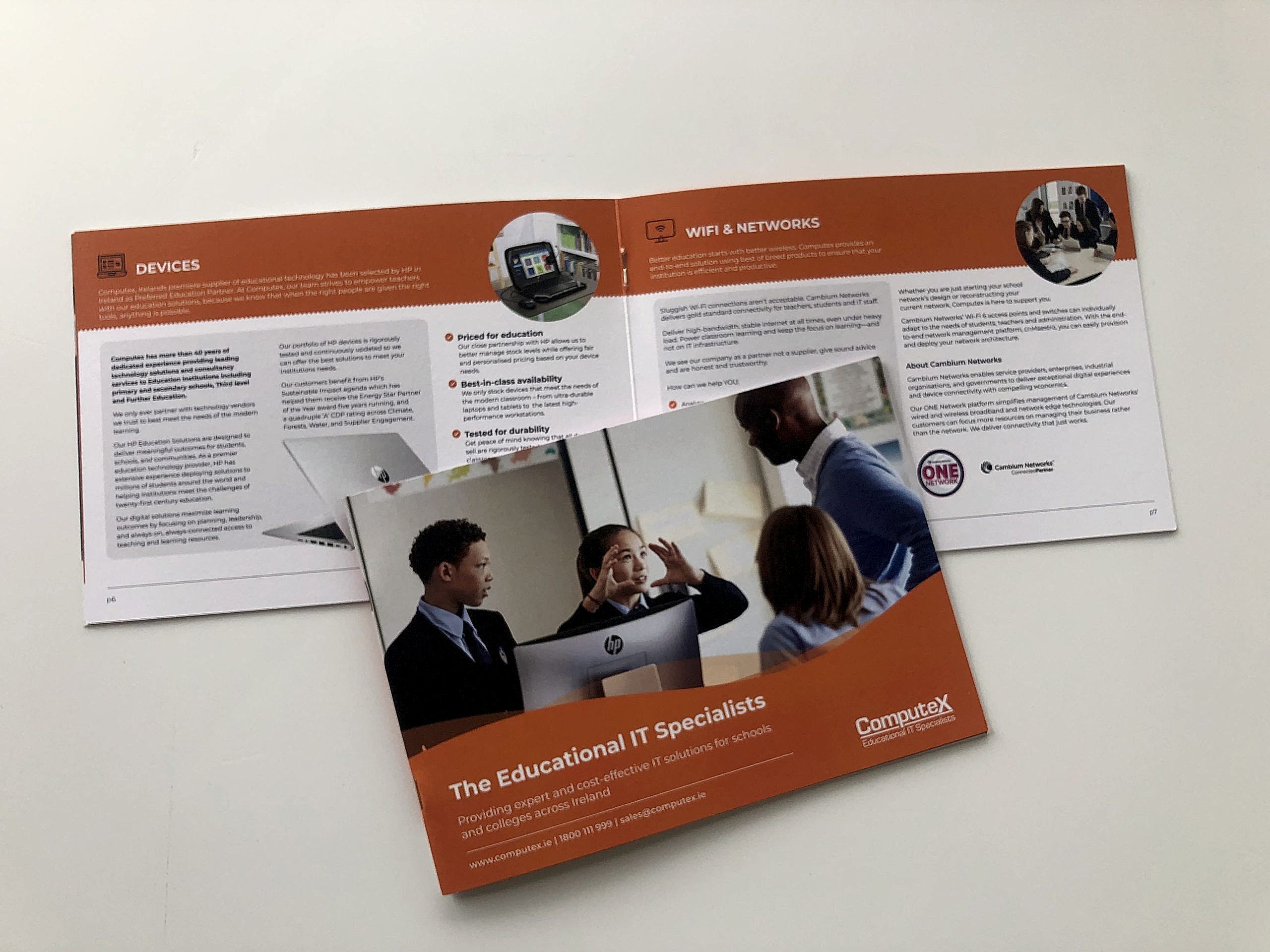
Brochures & Flyers
Engaging brochures and flyers to inform visitors, promote offers, or drive post-event follow-ups.
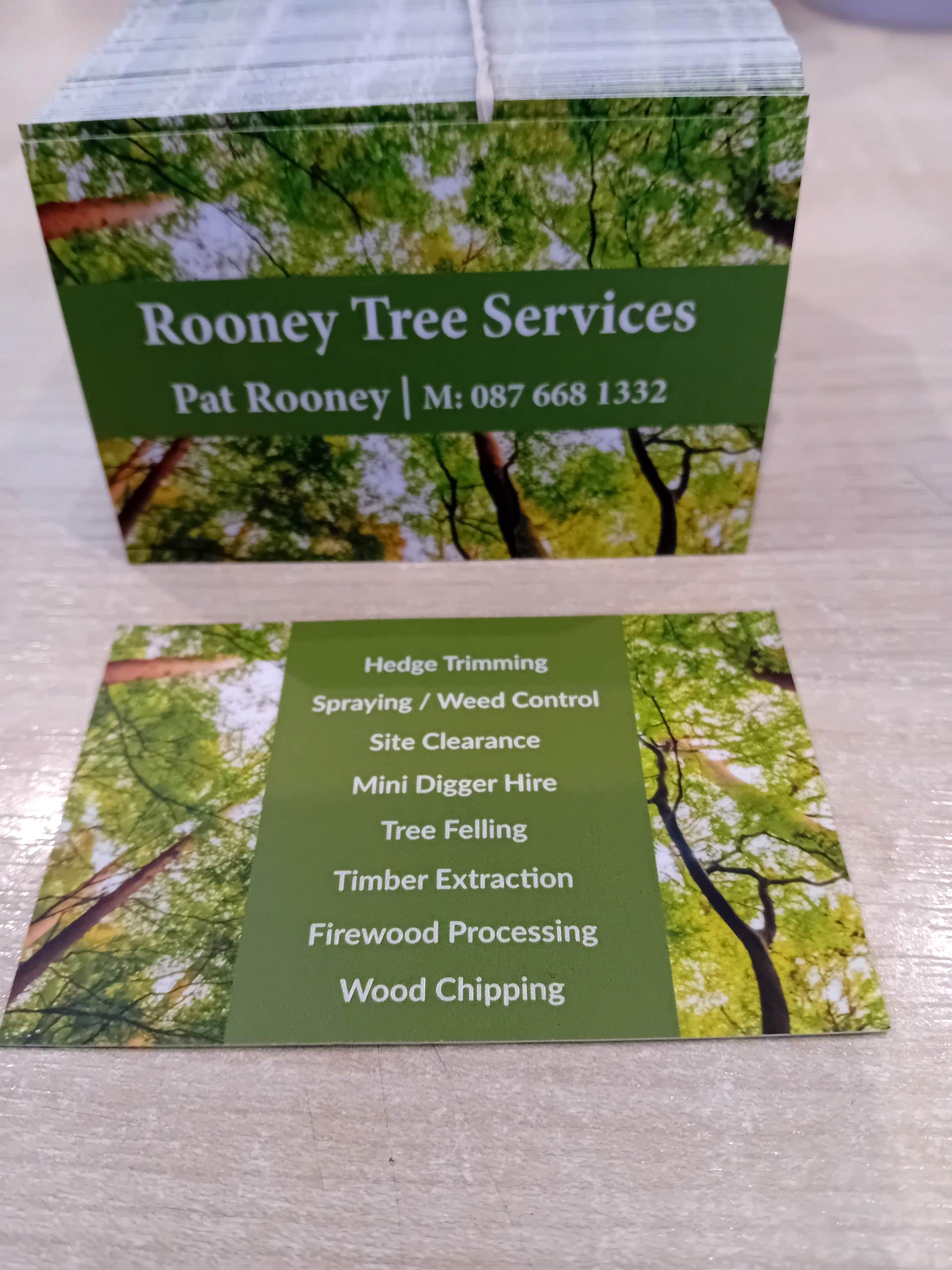
Business Cards
High-quality business cards that help you make a memorable first impression and keep the conversation going.
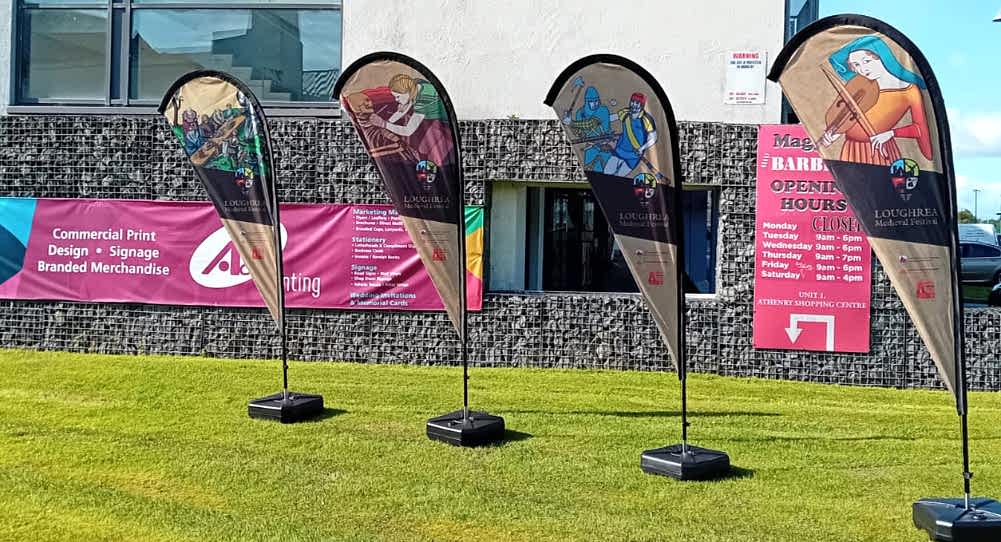
Custom Branded Flags
Boost your brand visibility with premium custom branded flags—perfect for outdoor advertising, trade shows, and business promotions
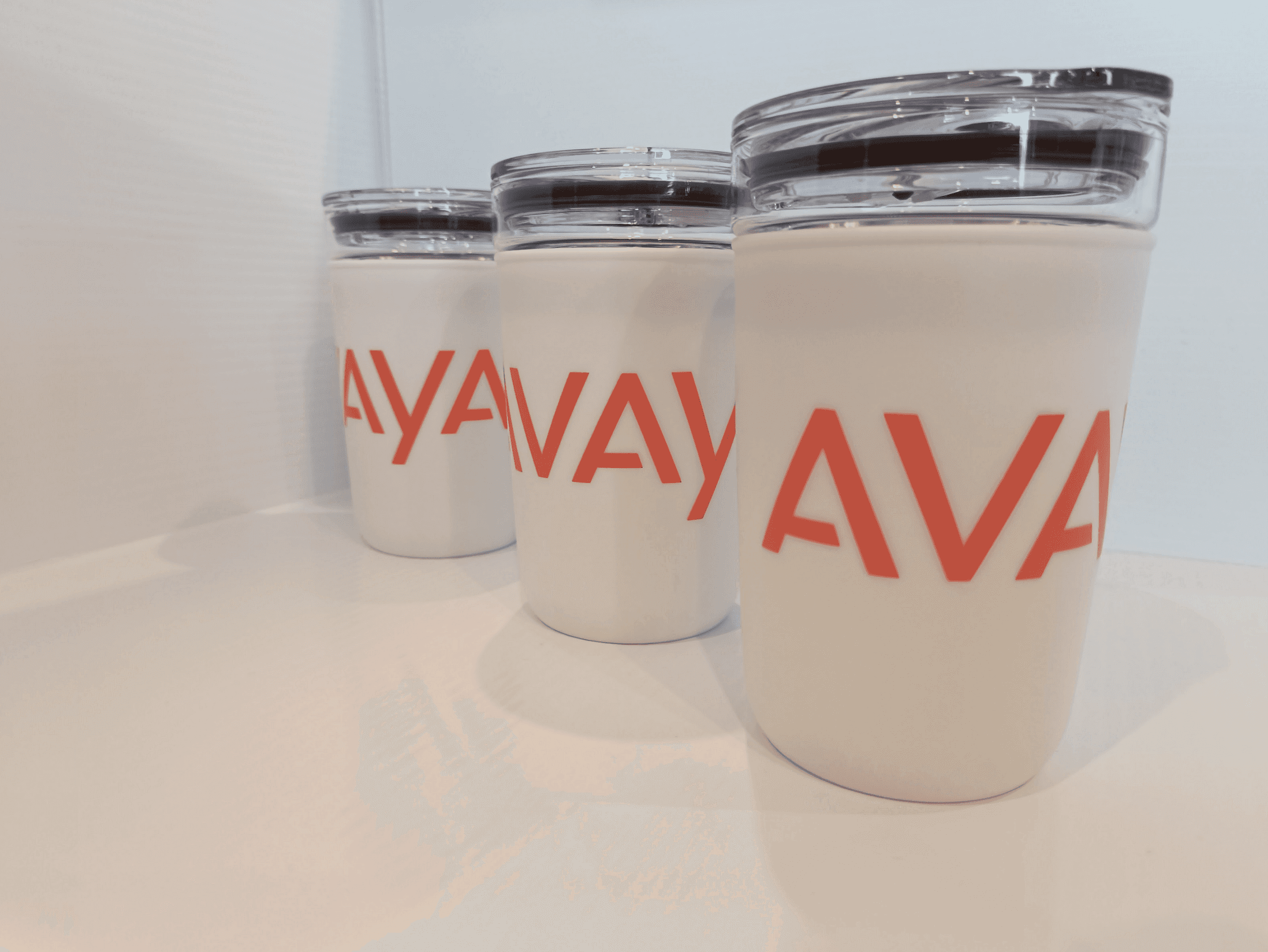
Branded Giveaways (Travel mugs, Pens etc.)
Fun, branded items that help extend your reach and create positive brand recall after the event.

A-Frame Signs & Sandwich Boards
Eye-catching, movable signs to draw foot traffic — perfect for entrances, pavements, or temporary event setups.
Presentation Folders
Smart folders to neatly present brochures, spec sheets, and business information — ideal for corporate events and sales meetings.
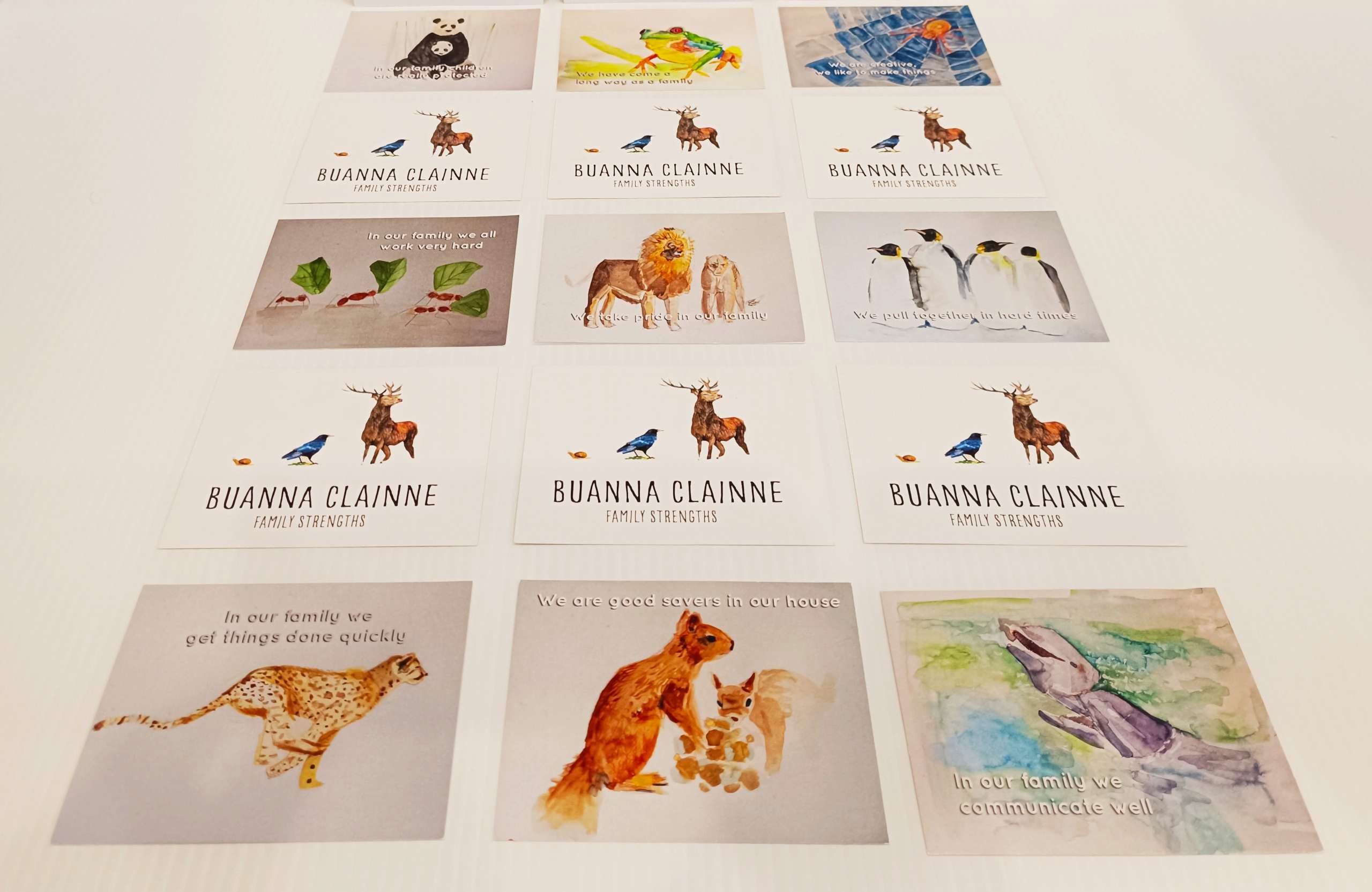
Branded Giveaways (Stickers, Postcards, etc.)
Fun, branded items that help extend your reach and create positive brand recall after the event.






![client-logo_0014_AthenryCU logo-[white on blue]](https://mainanamaline.shop/wp-content/uploads/2025/06/client-logo_0014_athenrycu-logo-white-on-blue.jpg)

What Is the Difference Between CMYK & RGB? (And Why It Matters for Your Prints)
If you’ve ever designed something on your screen and then printed it—only to wonder “Why does this look different?”—you’re not alone. The answer almost always comes down to one thing: CMYK vs RGB. Let’s break it down in a simple, entertaining way (no design degree required 👇). 🎨 RGB: The Digital Superstar RGB stands for Red, Green, and Blue.These are the colors your screens use—phones, laptops, TVs, tablets—basically anything that glows. How it works: RGB mixes light to create colors. Start with black (no light), then add red, green, and blue light to create millions of vibrant colors—even bright neon shades. Best used for: 👉 If it lives on a screen, RGB is your best friend. 🖨️ CMYK: The Print Pro CMYK stands for Cyan, Magenta, Yellow, and Key (Black). Unlike RGB, CMYK uses ink, not light. It works by layering these four colors to create the final image on paper. How it works: Instead of adding light, CMYK subtracts brightness by layering inks. This means the colors are naturally a bit more muted compared to RGB. Best used for: 👉 If you’re printing it, CMYK is the way to go. ⚡ The Key Difference (In Plain English) Think of it like this: RGB is a glowing LED sign.CMYK is paint on paper. 🤔 Why Do Colors Change When Printing? Here’s the truth:Not all RGB colors can be recreated in CMYK. That electric blue or neon green you love on screen?CMYK simply can’t produce it the same way with ink. That’s why your printed design may look: 💡 Pro Tips for Perfect Printing Want your prints to look exactly how you imagined? Follow these: ✔ Design in CMYK from the start for print projects✔ Use high-resolution images (300 DPI)✔ Avoid overly bright/neon colors✔ Always request a print proof before large runs 🏁 Final Thoughts Understanding the difference between CMYK and RGB isn’t just “designer talk”—it’s the secret to getting professional, high-quality prints every time. At A&T Printing, we make sure your designs look just as good on paper as they do on screen. Whether you’re printing business cards, flyers, or large-format materials, we’ve got you covered.
Gloss Paper vs Silk Paper: Which One Should You Choose for Your Print Jobs?
When it comes to printing, choosing the right paper can make or break the final product. Yes — people still use gloss paper, but silk paper has quickly become the go-to choice for many print jobs. The decision often comes down to readability, appearance, and practicality. Let’s break down the differences and help you choose the perfect paper for your project. Gloss Paper ✨: Shiny and Eye-Catching Gloss paper is known for its highly reflective, shiny surface, making it a favorite for projects where vivid colours and impactful images are key. Why people use gloss paper: Common uses: Downsides of gloss paper: While gloss paper is perfect for visual-heavy projects, it may not be the best choice when text readability is a priority. Silk Paper 📄: The Perfect Balance Silk paper, also known as satin paper, is semi-coated — sitting comfortably between gloss and matte. It has become increasingly popular for both personal and commercial printing. Why silk paper is popular: Common uses: Silk paper strikes a perfect balance between image quality and readability, making it ideal for projects that combine photos with text. Why Printers Recommend Silk Paper Commercial printers often suggest silk paper because it’s the most versatile printing stock. Silk: Many printers default to 150–170gsm silk for brochures, flyers, and corporate materials because it minimizes customer complaints while still delivering a polished look. Quick Guide: Choosing the Right Paper Here’s a simple rule used in print shops: If the job is… Paper usually used Mostly photos Gloss Photos + text Silk Mostly text Matte / Uncoated Final Thoughts:While gloss paper is still relevant for visually striking projects, silk paper has become the default for most commercial printing. It offers versatility, readability, and a premium feel — making it the perfect choice for brochures, flyers, and reports.
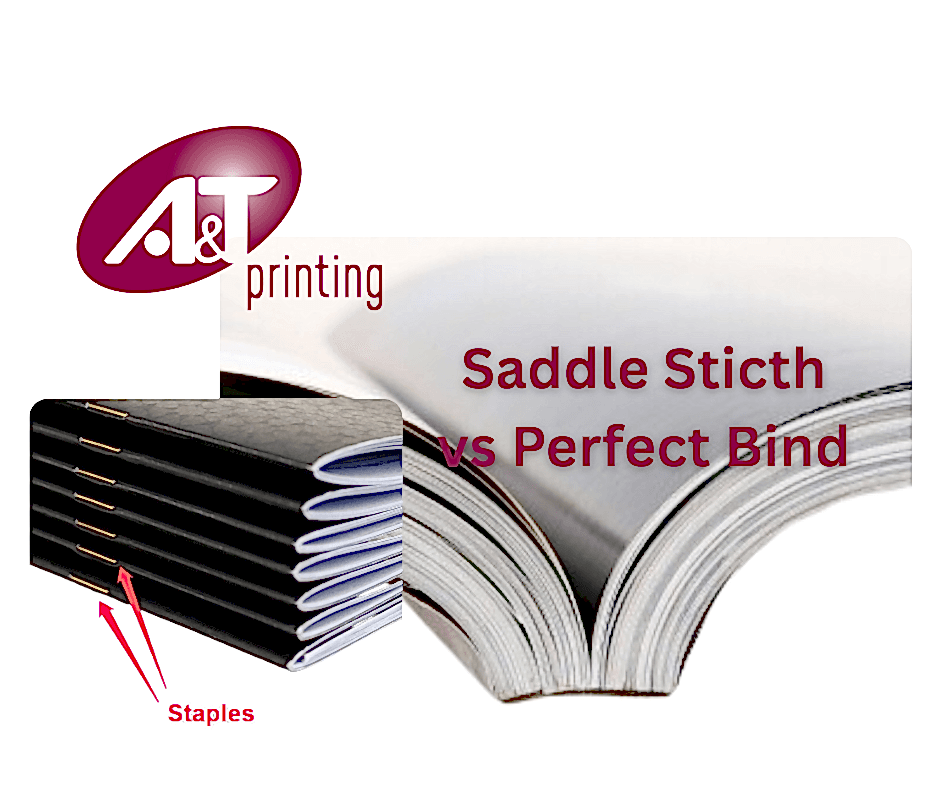
Saddle Stitch vs Perfect Bound
Here’s a comparison to help you choose the right binding method for your project (especially useful if you’re printing booklets, catalogs, or magazines). 📌 Saddle Stitch Binding What it is:Pages are folded in half and stapled through the fold (the spine) with metal staples. Best for: Pros: Cons: Look & Feel:Thin, flexible, simple. 📚 Perfect Bound Binding What it is:Pages are stacked, glued at the spine, and wrapped with a thicker cover (like a paperback book). Best for: Pros: Cons: Look & Feel:Thicker, square spine, premium finish. 🔎 Quick Comparison Feature Saddle Stitch Perfect Bound Page Count 8–64 pages 40+ pages Spine Printing ❌ No ✅ Yes Cost Lower Higher Durability Moderate Higher Professional Look Basic Premium Best For Thin booklets Thick catalogs/books 💡 Which Should You Choose? If you’re getting ready to print a publication, we’d love to help you make it amazing! 🎉 Just share a few quick details with us: Once we have that, we’ll recommend the best printing option to bring your project to life.
Why A&T Printing’s ISO 9001 Certification Matters to You
At A&T Printing, quality isn’t just a promise — it’s a certified commitment. We are proud to hold the internationally recognized International Organisation for Standardisation (ISO) 9001 certification, a standard that sets the benchmark for quality management systems worldwide. But what does that really mean for you, our valued customer? What Is ISO 9001? ISO 9001 is the world’s leading quality management standard. It ensures that an organization has strong processes, consistent procedures, and a continuous improvement system in place to deliver reliable results — every time. Companies that earn ISO 9001 certification must undergo rigorous independent audits and demonstrate that their systems meet strict international requirements. Why It’s Important for A&T Printing 1. Consistent Quality You Can Trust Our ISO 9001 certification means we follow documented, standardized processes across every project — from order intake to final delivery. This reduces errors, improves efficiency, and ensures your print materials meet the highest standards every time. 2. Continuous Improvement ISO 9001 isn’t a one-time achievement. It requires ongoing evaluation and improvement. We regularly review our workflows, customer feedback, and performance metrics to refine our services and stay ahead of industry expectations. 3. Customer-Focused Operations At the heart of ISO 9001 is customer satisfaction. This certification reinforces our commitment to understanding your needs, meeting deadlines, and delivering products that exceed expectations. 4. Accountability & Transparency Our processes are monitored, measured, and audited. That means clear communication, traceability in production, and confidence that your project is handled with professionalism and precision. 5. Reduced Risk & Greater Reliability Standardized procedures reduce the likelihood of mistakes, delays, and inconsistencies — saving you time, money, and stress. What This Means for You When you partner with A&T Printing, you’re not just choosing a printing provider — you’re choosing a company that operates at an internationally recognized standard of quality. Our ISO 9001 certification reflects our dedication to: In short, it means peace of mind. If you have any questions about our ISO certification or how it benefits your projects, we’d be happy to discuss it with you.
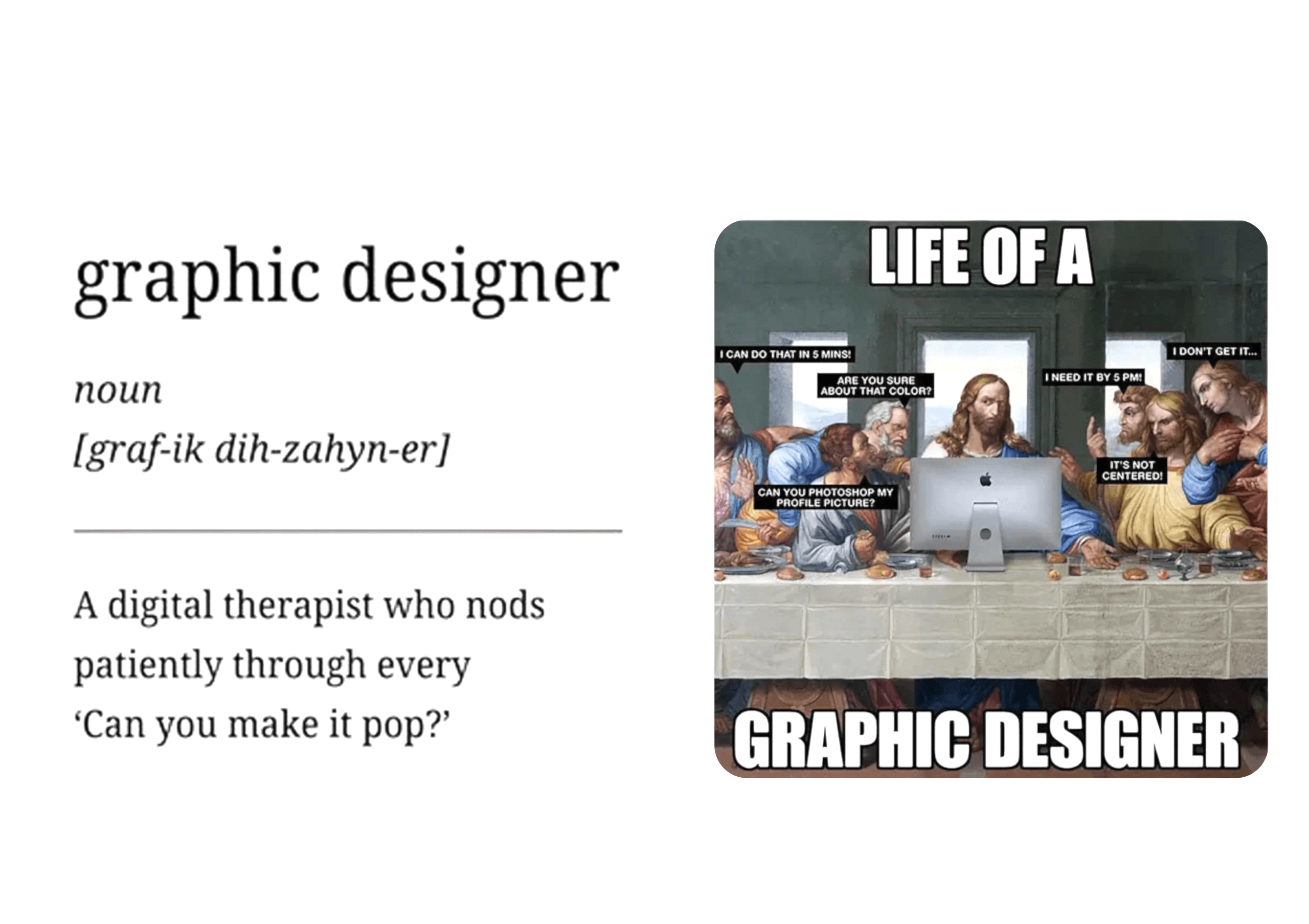
Can Graphic Designers Be Replaced by AI?
(Or Will They Simply Become the Overlords of the Robot Army?) If you’ve spent more than five minutes online recently, you’ve probably seen the dramatic headlines: “AI IS TAKING OVER DESIGN!”“ROBOTS WILL STEAL YOUR LOGO AND YOUR LUNCH!”“GRAPHIC DESIGNERS DOOMED BY 2025!” Deep breath. Step away from the panic button. Let’s talk reality. The Rise of the Robo-Designer AI graphic design tools are everywhere. They can generate logos, posters, colour palettes, layouts, and even full branding systems faster than you can say: “Can you make the logo bigger?” And yes — it is impressive.It’s fast.It’s convenient.It’s like a design intern who works 24/7, never complains, and drinks exactly zero iced lattes. But here’s the catch… AI also has the personality of a damp potato chip. Creativity: Humans 1 | Robots 0 Graphic design isn’t just about lining things up neatly. It’s about storytelling, emotion, strategy, and meaning. It’s the art of turning: “We sell plumbing parts”into“We are the majestic guardians of household water flow.” AI can generate fifty logo concepts in ten seconds — impressive!But can it interpret this classic client brief? “We want something modern but classic, edgy but safe, fun but serious, minimal yet bold, young but mature.” That requires: AI can’t replace that.AI needs that. Graphic Designers Aren’t Disappearing — They’re Evolving Think of AI as a power tool.Without a skilled designer, it’s just a loud gadget with very strong opinions about symmetry. Designers who embrace AI don’t lose relevance — they gain superpowers: AI isn’t replacing graphic designers. It’s replacing the boring parts of graphic design. And honestly?Good riddance. Clients Still Need Humans (Even If AI Is Flashy) Ask AI to design a poster for a charity event, and it’ll do a decent job. Now ask it to: System error. Meltdown imminent. Graphic designers aren’t just creatives. They’re: No AI can juggle all that (yet). So… Can AI Replace Graphic Designers? Short answer: No.Long answer: NOOOOOOO. But can AI be an incredibly useful sidekick? Absolutely. Think: AI handles speed, experimentation, and grunt work.Humans bring style, strategy, soul, and big-picture thinking. That part? Still 100% human. Final Verdict Graphic designers aren’t going anywhere. But bad design?Lazy design?Low-effort “just make something quick” design? Yeah… AI might quietly put that out of its misery. The future isn’t robots replacing designers. It’s designers riding into the sunset on robot-powered hoverboards, creating smarter, bolder, better design than ever before. And honestly?We’re here for it. 😎
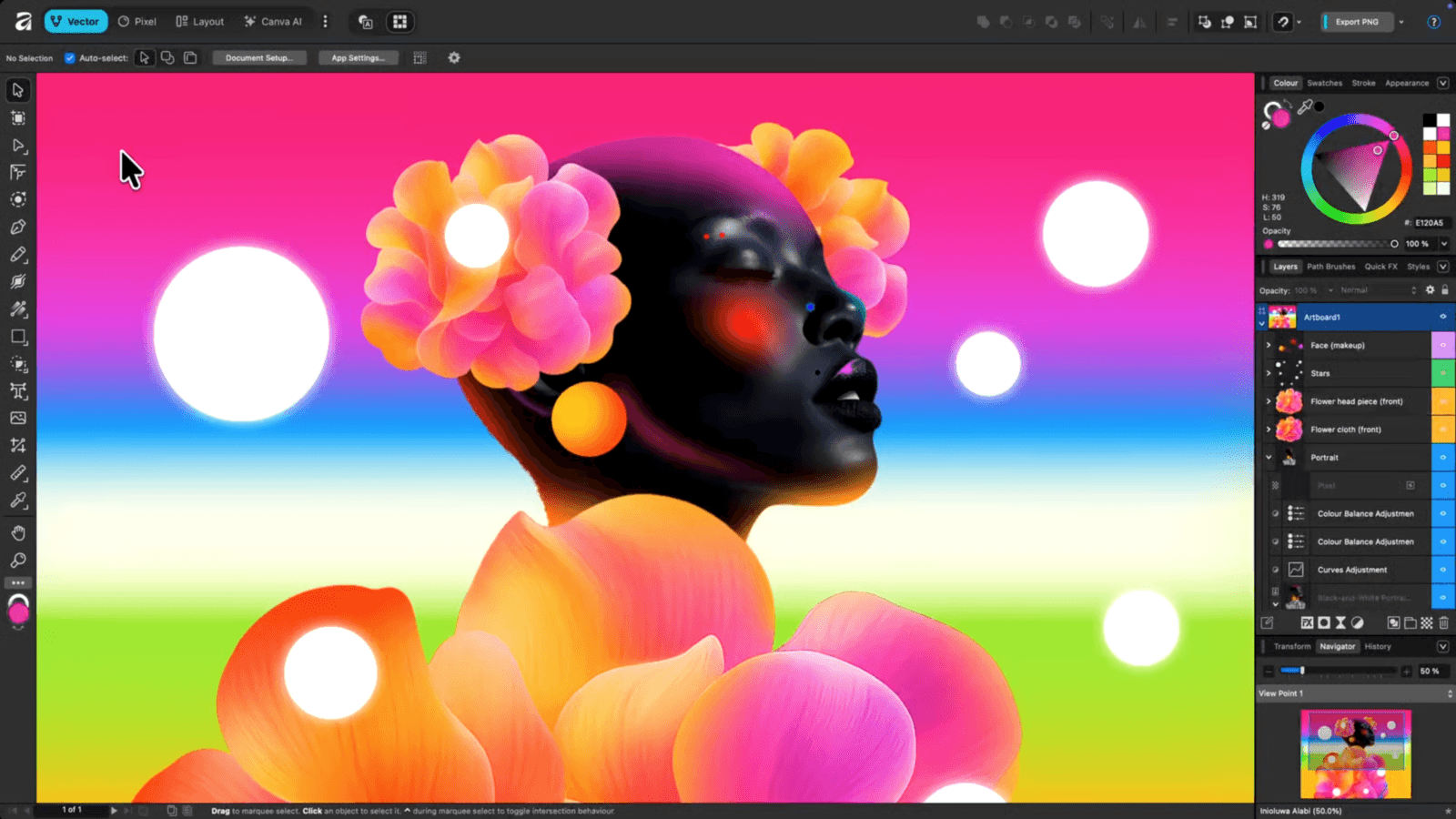
The Best Apps for Designing Your Own Print Materials with A&T Printing
1. Canva – Perfect for Beginners and Small Businesses 2. Adobe Illustrator – The Professional’s Choice 3. Adobe InDesign – Best for Multi-Page Layouts 4. Affinity Designer & Affinity Publisher – Affordable and Powerful 5. Procreate – Great for Custom Artwork 6. Microsoft Publisher – Simple and Familiar 7. Figma – Great for Collaborative Design What’s the Best App From Our Experts At A&T Printing? Need Help Preparing Your Files? From file formats and bleed setup to color profiles and sizing, our team at A&T Printing is always ready to help. Send us your design, and we’ll make sure it prints perfectly!.
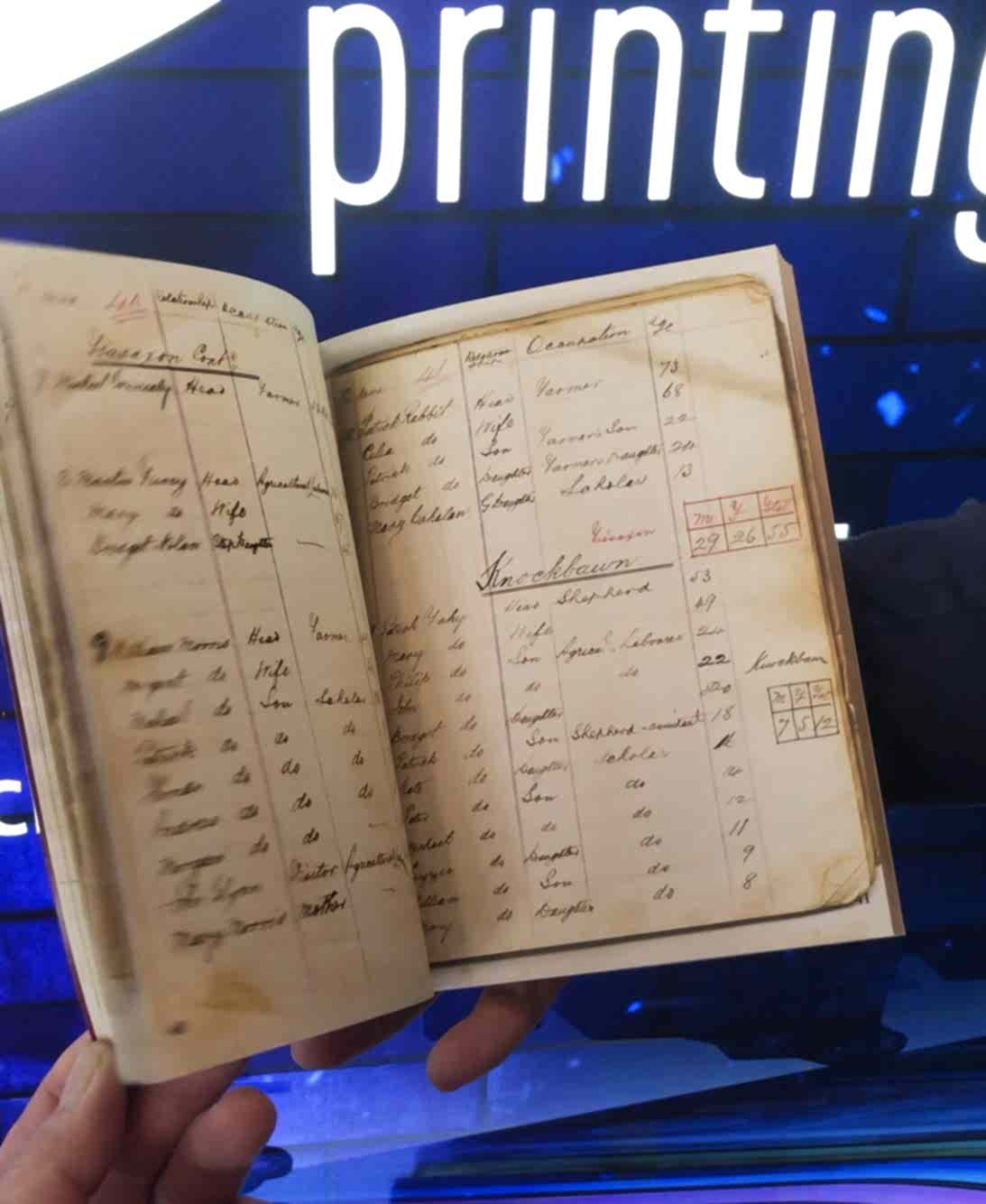
Does Print Still Have a Future? Why Print Media Still Matters in a Digital World
In a world where screens dominate our daily lives—from morning news updates on smartphones to late-night Netflix binges—it’s easy to believe print media is fading away. But despite constant predictions of its demise, print continues to thrive in powerful, evolving ways. The question isn’t whether print will disappear—it’s how it’s adapting and why it remains essential in today’s digital-first landscape. The Power of Tangibility There’s something special about print that no screen can replace. The texture of paper, the permanence of ink, and the physical act of turning pages create a sensory experience digital media simply can’t match. Studies show readers retain more information when reading print compared to screens. For brands, this means print provides a deeper emotional connection—one that fosters engagement, trust, and long-lasting impressions. Trust and Credibility Still Belong to Print In an era filled with fleeting online ads and misinformation, print media stands as one of the most trusted sources. Printed materials—such as brochures, magazines, catalogs, and direct mail—are perceived as more credible and deliberate. Marketing research confirms that print advertising often drives higher engagement and conversion rates than digital-only campaigns. When customers can physically hold your message, they believe it more deeply. Print and Digital: A Perfect Partnership Rather than competing, print and digital complement each other beautifully. Modern marketing strategies now combine both—using print to capture attention and digital to continue the conversation. Technologies like QR codes, personalized URLs (PURLs), and augmented reality (AR) have made print interactive, turning static pages into dynamic gateways to online content. It’s no longer print versus digital—it’s print and digital working together for maximum impact. Sustainability and Innovation in Print One of the most exciting changes in the print industry is the rise of sustainable printing practices. Advancements in eco-friendly inks, recycled materials, and energy-efficient printing technologies are transforming how print operates. For many companies, choosing print isn’t just about aesthetics—it’s a way to demonstrate environmental responsibility. Sustainable print is not just possible—it’s becoming the industry standard. Niche Markets, Strong Demand While traditional newspapers and mass print runs have declined, niche and high-quality print products are thriving. Boutique magazines, luxury packaging, branded merchandise, and personalized direct mail are all seeing renewed popularity. Consumers today crave authenticity, craftsmanship, and tangible experiences—and print delivers all three. The Verdict: Print Isn’t Dying—It’s Evolving Print’s role has changed, but its importance remains. In an oversaturated digital world, print stands out precisely because it’s tangible, trustworthy, and timeless. For brands, marketers, and creatives, the smartest strategy isn’t to choose between print and digital—but to leverage both where they shine best. Final Thought Print may no longer be the only voice in the room, but it still speaks with authority, elegance, and impact. Far from obsolete, print is reinventing itself—finding new life in an integrated, experience-driven future.
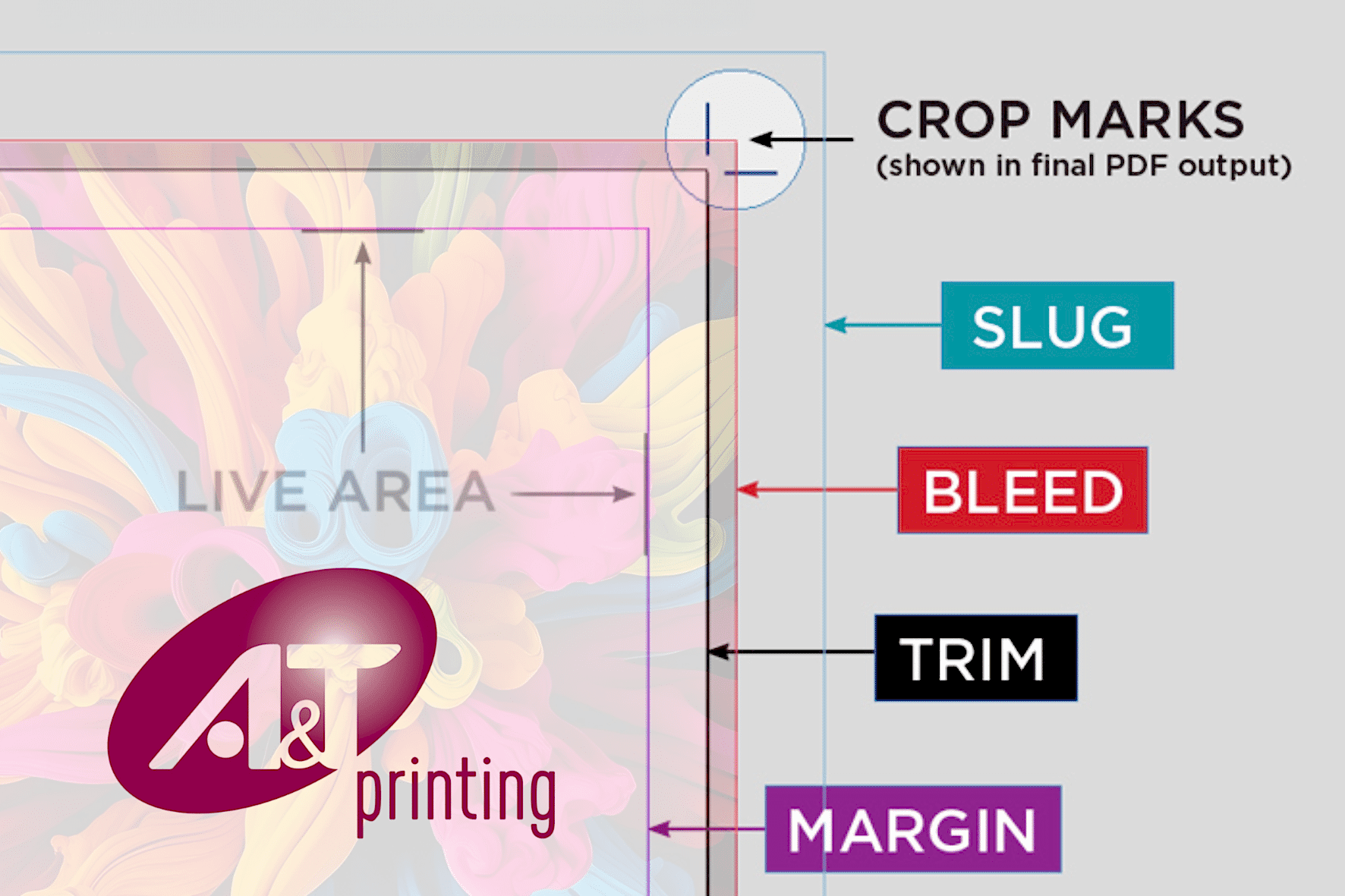
What We Mean By Bleed & Crops
When we talk about bleed and crops, we are referring to marks and layout settings that ensure your printed piece comes out clean and correctly trimmed. Here is what each means: Bleed Crop Marks (or Trim Marks) In summary: Why is bleed so important? Bleed is crucial in printing because it ensures your final product looks clean and professional — with no unwanted white edges after trimming. Here’s why it matters so much: 1. Trimming is not perfectly precise. Even high-end printing and cutting machines have tiny tolerances (small variations, often 1–2 mm).Without bleed, if the cut shifts slightly, you could end up with: Bleed gives the printer a safety margin, so any slight misalignment still looks perfect. 2. It keeps full bleed designs seamless. If your design includes: 3. It’s part of professional print standards. Every print shop (like A&T Printing, for example) expects print-ready files with bleed. Submitting files without it often causes: In short: Bleed = insurance for clean edges.It protects your design from small cutting shifts and ensures the finished product looks polished and print-shop ready.
Why A Great Pull-Up Banner Still Works – and How to Make Yours Stand Out
From the experts at A&T Printing in Athenry, Co. Galway Why A Great Pull-Up Banner Still Works – and How to Make Yours Stand Out In a world dominated by digital advertising, traditional marketing tools like pull-upbanners still hold their ground. Why? Because when designed and placed effectively, a great pull-up banner captures attention, communicates clearly, and drives action — all within seconds. A pull banner is a cost-effective way to grab attention at events, trade shows, or in-store promotions. Stuart Trotter Event Print Specialist at A&T Print Why Pull-Up Banners Still Work 1. Instant Visibility Pull-up banners stand tall and proud at events, retail spaces, and offices. They’re eye-catching and instantly convey your brand’s presence. 2. Cost-Effective and Reusable Compared to digital ads or one-time print runs, banners offer long-term value. Use them at multiple events or in-store for continuous impact. 3. Portable and Quick to Set Up Lightweight and compact, a pull-up banner can be set up in under a minute — no tools, no stress. 4. Offline Engagement in a Digital World In-person events, trade shows, and local shops thrive on real-world interactions. Banners enhance your offline presence and support your digital efforts by directing traffic to your website or social platforms. How to Make Your Pull-Up Banner Stand Out 1. Keep the Message Clear Use bold, concise headlines. Stick to one key message or offer. Remember: You’ve got 3 seconds to grab attention. 2. Use High-Quality Graphics Crisp images and professional printing (like we offer at A&T Printing) make a huge difference. Blurry or pixelated visuals send the wrong message. 3. Brand Consistency Match your pull-up banner’s colours, fonts, and tone with your overall branding. Consistency builds trust and recognition. 4. Strategic Layout o Top: Your logo and attention-grabbing headline o Middle: Key message or product/service highlight o Bottom: Call to action (CTA) and contact details 5. Use Contrasting Colours Make your text pop by choosing background and text colours with strong contrast — especially from a distance. 6. Add a QR Code Bridge the physical and digital with a scannable QR code linking to your website, promo page, or contact form. Pull -up banners are portable and easy to set up, making it ideal for quick displays. They can be reused multiple times, making them a smart long-term investment.Stuart Trotter Event Print Specialist at A&T Print At A&T Printing, we don’t just print pull-up banners — we help you make an impact. Whether you need design guidance or a flawless final product, we’ve got your back. Let’s create something bold together. A&T Printing Galway Deal of the Month Be event-ready for less — simply send us your ideas and our expert designers will create your pull-up banner, printed and ready to impress. Pull Up Banner. 850 x 2200mm Printed Full Colour on Lay flat Banner Material, Supplied with Stand & Carry Case Includes 30mins design time. €89.00 Exc VAT Get in Touch At A&T Printing, we don’t just print banners — we help you make an impression. Visit our website HERE to learn more about what we do and who we work with. Get in touch with Stuart and team HERE, we love hearing from you, so make sure to reach out to us. Afterall, A&T Print Athenry is where printing is AT!!
3 Easy Steps to Event-Ready Print (Plus a Special Offer You’ll Love!)
Getting ready for an event, trade show, or outdoor festival? The right printed materials can help you stand out, attract more visitors to your stand, and leave a lasting impression on potential customers. But where do you start? Here’s a quick 3-step guide to help you get organised — plus details on this month’s special offer! Step 1: Plan Ahead Good preparation is key. Start thinking about your event materials 4–6 weeks in advance. This gives you time to design, print, and receive everything you need — without last-minute panic (or extra costs). Here’s what to do:✅ Check what you already have✅ Make a list of what you need to create or update✅ Confirm deadlines with the team at A&T Printing to allow for delivery or collection Step 2: Know What You Need Different events call for different materials. Here’s a handy checklist to guide you: Essentials for Every Event: For Trade Shows: For Outdoor Festivals: SPECIAL OFFER: For a limited time, you can get a Pull-Up Banner for just €89 — including FREE design! Simply share your ideas with us and we’ll create a stunning, professional banner to make you stand out at your next event. Step 3: Talk to the Experts Still unsure what you really need? Don’t worry — you’re not alone. That’s why our friendly A&T event promotion professionals are here to help. We’ll give you straightforward, honest advice so you know:✅ What’s worth investing in✅ What you don’t actually need✅ The best ways to make an impact for your budget Ready to get started? Visit our website or get in touch with our event sales team today. Let’s help you get event-ready with print materials that work — and make sure you don’t miss this month’s pull-up banner deal! Visit our Events & Exhibition page HERE Or get in touch with Stuart our Event Print Expert HERE
A guide for using Canva for Print – Setup and Export
Welcome to our comprehensive guide on using Canva for print – your go-to resource for mastering the art of setting up and exporting print-ready designs with ease. Canva has revolutionized the way we approach graphic design, making it accessible to everyone, from seasoned professionals to beginners with no prior design experience. In this blog, we will navigate the intricate process of transforming your creative visions into tangible, high-quality prints. Whether you’re creating business cards, posters, brochures, or any other printed material, our step-by-step guide will walk you through the crucial elements of Canva’s print setup and export features. From understanding the essential print settings to optimizing your designs for professional printing, we’ll cover it all. Get ready to unlock the full potential of Canva as we empower you with the knowledge to produce stunning, print-ready materials that leave a lasting impression. Let’s dive into the world of Canva for print and embark on a journey to elevate your design projects to new heights! Open Canva and click ‘Create a design’. Click on ‘Custom Size’ When designing for print it is best to set the dimensions of the document using a unit of measurement. Click on the dropdown box that has ‘px’ and select your preferred unit of measurement. We have selected ‘mm’ here for millimetres and put in the values of width 210 x height 297, which are the dimensions of an A4 document. Then click on ‘Create new design’. Now you are ready to start designing. Once you have your design complete, you are now ready to export your project so it can be printed. On the top right of your screen you will see a button that says ‘Share’. Go ahead and click on it. This screen appears and you will need to scroll down until you see the option to ‘Download’. This screen will then appear. This is the important bit where we will select all the options to create a perfect print ready file that will give you a stunning final product. Firstly, we select the file type we wish to use. So, click on the drop down box under ‘File type’ and change ‘PNG’ to ‘PDF Print’. Printers love PDF files and selecting the Print option ensures that your files will have the highest quality to provide crisp and clear prints. Next we click on the check box for ‘Crop marks and bleed’. This is another element that printers love and are essential in ensuring that your final product appears as you have designed it. When you create a design with bleed, you extend certain elements (typically background colours, images, or patterns) beyond the designated trim edge. This extension compensates for any slight variations in the trimming process, preventing the appearance of thin white lines or gaps along the edges of the printed material. Crop marks, also known as trim marks, are lines or markers placed at the corners of a printed document to indicate where it should be trimmed or cut to achieve its final size. These marks guide the printer or the person responsible for finishing the printed material, ensuring accurate and precise trimming along the designated edges. Next we flatten the image. Under ‘Crop marks and bleed’ click the checkbox that says ‘Flatten PDF’. Flattening an image for print refers to merging all visible layers in a graphic design file into a single layer. This process simplifies the file structure and ensures that the image retains its intended appearance when printed. The last step is to change the colour profile. There are two options for colour profile, RGB and CMYK. RGB stands for Red, Green, Blue, used in digital displays. It combines light intensities for screens like monitors and TVs. CMYK stands for Cyan, Magenta, Yellow, Black, used in print. It combines ink percentages for accurate colours in print materials. Under ‘Colour Profile’, click the drop down box and select the ‘CMYK’ option. Unfortunately, Canva only give this option if you sign up to the Pro version. But don’t worry, your files will still be fine for print if left on RGB. This just means that the colours, and especially reds, may not match exactly what you see on screen. Finally, click ‘Download’ and you are now ready to share your stunning print-ready files. To wrap up our guide on leveraging Canva for print – from setup to export – you’re now equipped with the knowledge to seamlessly transition your digital designs into professional-quality prints. Navigating through crucial elements like bleed, crop marks, and image flattening, you’ve learned the essentials of print preparation. Whether you’re a design enthusiast venturing into professional projects or an experienced designer seeking efficiency, Canva offers a versatile platform. From business cards to posters, you have the tools to transform your ideas into tangible, visually striking prints. As you embark on your print design endeavours, continue exploring Canva’s features and incorporating your creativity. With this guide, we’ve aimed to demystify the process, empowering you to confidently produce print-ready masterpieces. Thank you for joining us on this journey through Canva’s print capabilities. Here’s to translating your digital creativity into impactful, physical manifestations. Happy designing!