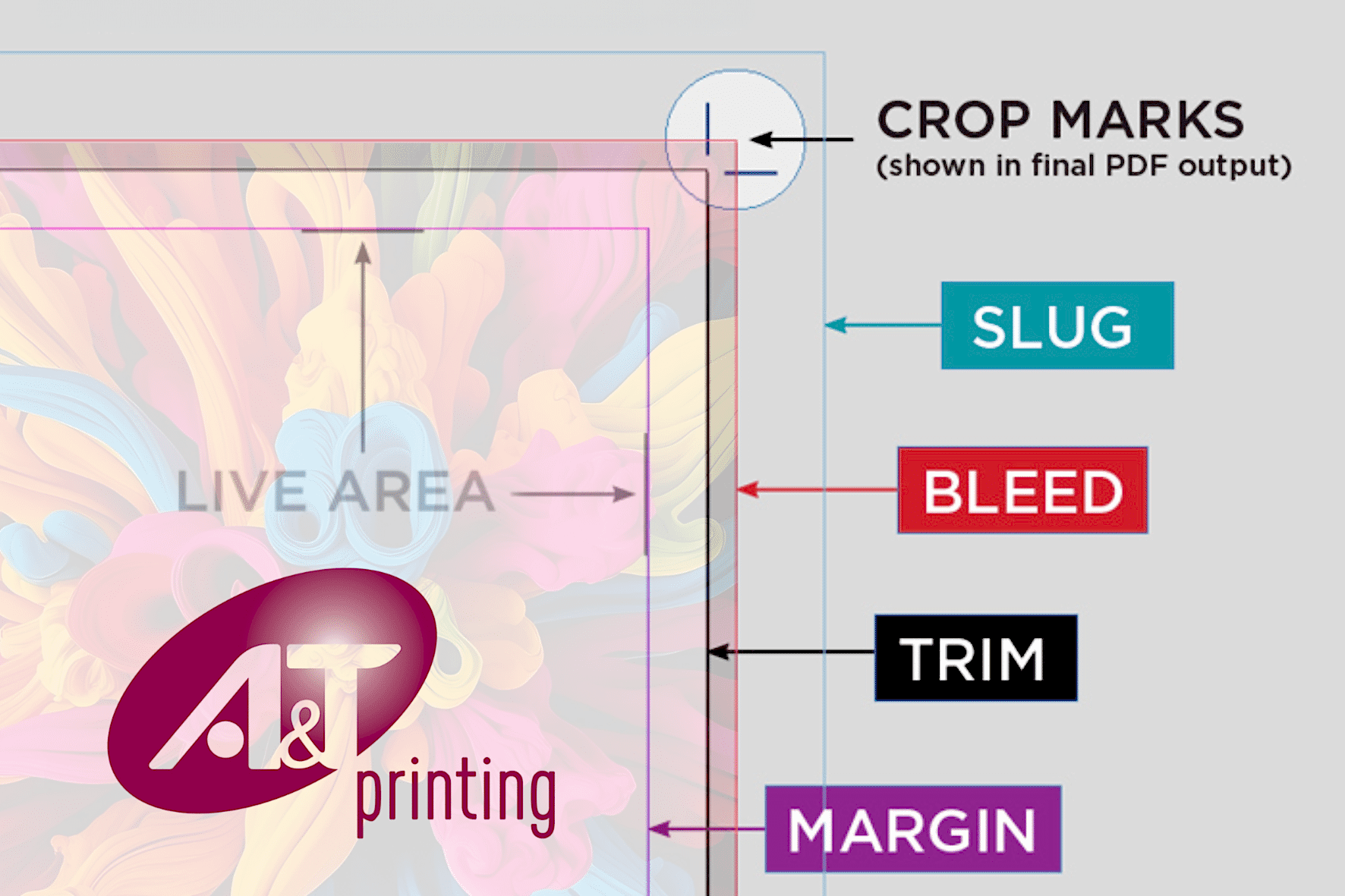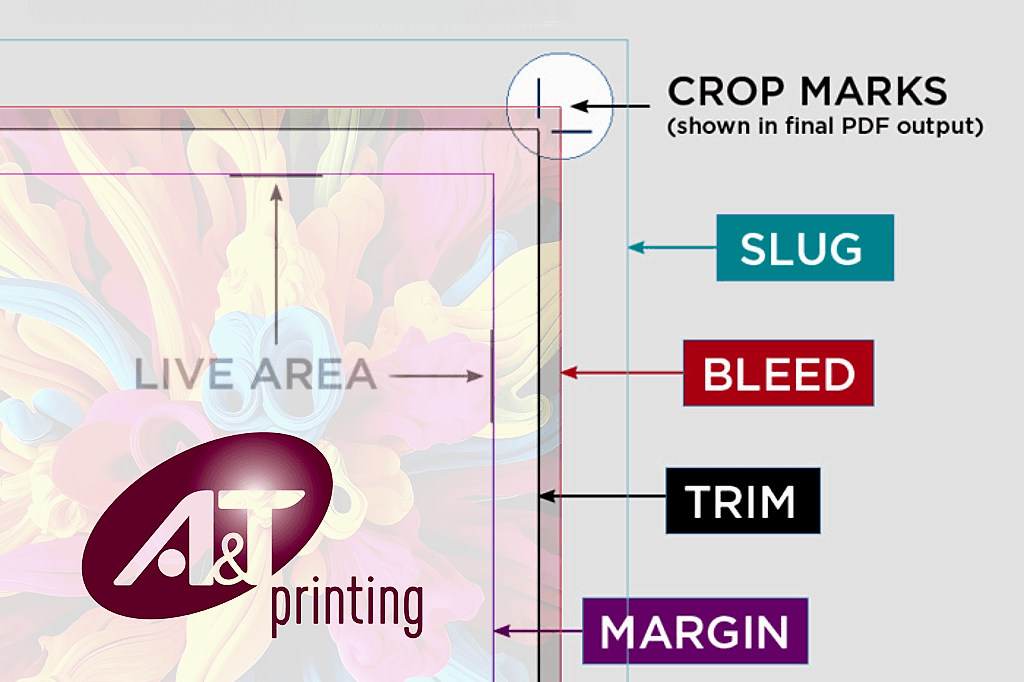

When we talk about bleed and crops, we are referring to marks and layout settings that ensure your printed piece comes out clean and correctly trimmed. Here is what each means:
 Bleed
Bleed
- Definition: Bleed is the extra area of your design that extends beyond the final trim size of the document.
- Purpose: It ensures that when the printer trims the paper to its final size, no unprinted edges appear — even if the cut is slightly off.
- Typical Size: Usually ⅛ inch (0.125″) or 3mm on all sides.
- Example:
If your final flyer size is 8.5″ × 11″, your file with bleed should be 8.75″ × 11.25″ (adding ⅛” on each edge).
Images or backgrounds that go to the edge should extend into that bleed area.
- Example:
 Crop Marks (or Trim Marks)
- Definition: Small lines printed at the corners of your design that show where the paper should be cut to achieve the final size.
- Purpose: They guide the print shop’s cutting equipment to trim accurately.
- Note: Crops are outside the final trim area, so they do not appear on the finished piece.
 In summary:
- Bleed = extra artwork area beyond the trim (to avoid white edges)
- Crops = cut guides for the printer

Why is bleed so important?
Bleed is crucial in printing because it ensures your final product looks clean and professional — with no unwanted white edges after trimming. Here’s why it matters so much:
1. Trimming is not perfectly precise.
Even high-end printing and cutting machines have tiny tolerances (small variations, often 1–2 mm).
Without bleed, if the cut shifts slightly, you could end up with:
- A thin white line along one edge
- A mismatched border
- An uneven appearance
Bleed gives the printer a safety margin, so any slight misalignment still looks perfect.
 2. It keeps full bleed designs seamless.
If your design includes:
- Photos
- Background colours or textures
- Shapes touching the edge
Then bleed ensures those visuals flow naturally off the page, rather than stopping abruptly.
- Shapes touching the edge
 3. It’s part of professional print standards.
Every print shop (like A&T Printing, for example) expects print-ready files with bleed. Submitting files without it often causes:
- Delays (they will ask for a re-export)
- Added design or setup fees.
- Lower-quality results if they trim manually.
 In short:
Bleed = insurance for clean edges.
It protects your design from small cutting shifts and ensures the finished product looks polished and print-shop ready.